Building a Production-Ready Blog CMS (Next.js + Supabase + Drizzle)
Building a Production-Ready Blog CMS (Next.js + Supabase + Drizzle)
Most developers write blogs.
I decided to build the system behind them.
Not for the UI — but to understand how real-world content systems actually work.
Why I Built This
I wanted:
- Full control over content
- SEO-friendly pages
- Fast performance
- Clean backend architecture
- No dependency on platforms like Medium or Notion
So I built my own CMS from scratch.
Tech Stack
- Next.js (App Router)
- Supabase (Postgres + Storage)
- Drizzle ORM (type-safe queries)
- Markdown-based content system
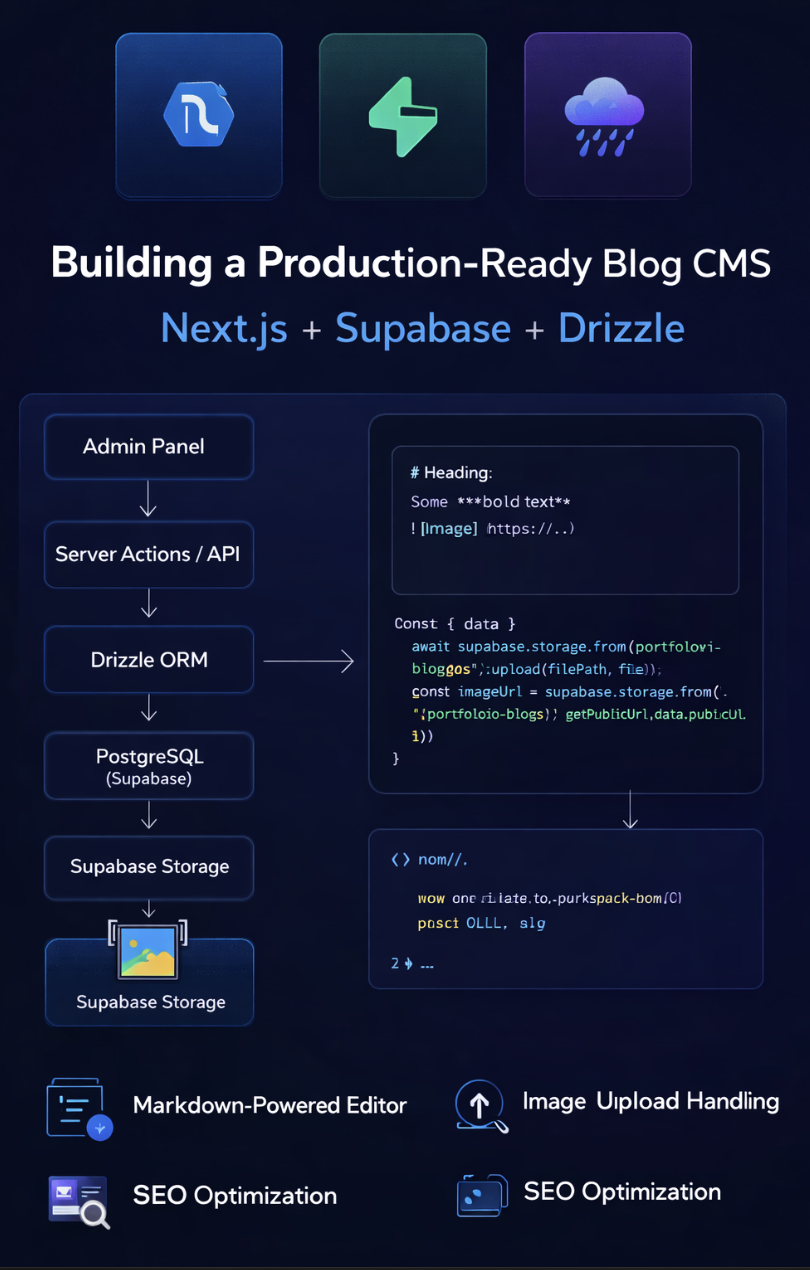
High-Level Architecture
Admin Panel (Next.js)
        ↓
Server Actions / API
        ↓
Drizzle ORM
        ↓
PostgreSQL (Supabase)
        ↓
Supabase Storage (Images)
1. Blog Data Model
Designing the schema was the first real challenge.
export const blogs = pgTable("blogs", {
  id: serial("id").primaryKey(),
  title: text("title").notNull(),
  slug: text("slug").unique().notNull(),
  content: text("content").notNull(),
  coverImage: text("cover_image"),
  createdAt: timestamp("created_at").defaultNow(),
  readingTime: integer("reading_time"),
  tags: text("tags"),
  metaTitle: text("meta_title"),
  metaDescription: text("meta_description"),
  featured: boolean("featured").default(false),
  views: integer("views").default(0),
});
Key Decisions
Slug instead of ID
- Better for SEO
- Cleaner URLs
- Example:
/blogs/inventory-concurrency-problem
Store Markdown, not HTML
- More flexible
- Easier editing
- Render at runtime
2. Writing System (Markdown Editor)
Instead of using a heavy editor:
I built a Markdown-first workflow.
Why?
- Developers prefer it
- Lightweight
- Full control over rendering
Example:
## Heading
Some **bold text**

3. Image Upload System (Real Challenge)
Uploading images inside blog content is harder than it looks.
Problem
- User wants to insert image anywhere
- Need instant feedback
- Must store securely
Solution
- Upload image to Supabase Storage
- Get public URL
- Inject into Markdown
const { data } = await supabase.storage
  .from("portfolio-blogs")
  .upload(filePath, file);

const imageUrl = supabase.storage
  .from("portfolio-blogs")
  .getPublicUrl(filePath).data.publicUrl;
Then insert:

4. Rendering Pipeline
Markdown → UI is not automatic.
You need a renderer.
What I Handle
- Headings
- Paragraphs
- Code blocks
- Images
- Lists
Example Renderer Logic
function renderMarkdown(content: string) {
  return content
    .replace(/## (.*)/g, "<h2>$1</h2>")
    .replace(/\*\*(.*?)\*\*/g, "<strong>$1</strong>");
}
(For production, use a proper parser — but understanding this is important)
5. Blog Fetching System
Using Drizzle:
export async function getAllBlogs() {
  return db
    .select()
    .from(blogs)
    .orderBy(desc(blogs.createdAt));
}
Filtering + Search
.where(
  or(
    ilike(blogs.title, `%${search}%`),
    ilike(blogs.content, `%${search}%`)
  )
)
6. Admin Dashboard
Built a simple but powerful UI:
- Create blog
- Edit blog
- Upload images
- Toggle featured
- Add SEO metadata
7. SEO Optimization
Each blog includes:
- Meta title
- Meta description
- Clean slug URLs
This improves:
- Google ranking
- Click-through rate
8. Performance Strategy
- Server-side rendering (Next.js)
- Static pages for blogs
- Optimized image delivery
9. Problems I Faced
Markdown Rendering
- Hard to support all cases
- Needed custom handling
Image UX
- Upload delay
- Cursor insertion logic
Data Validation
Solved using:
- Zod schemas
- Strict input validation
Key Insight
Building a CMS is not about UI.
It’s about:
- data flow
- content lifecycle
- rendering pipeline
- system design
Final Takeaway
Most developers consume tools.
Very few build them.
When you build your own system:
👉 You understand everything deeper
👉 You control everything
👉 You grow faster
Closing Thought
If you can build the system you use…
You’re no longer just a user.
You’re an engineer.